Search your VMs…
- prod-web-01linux
- prod-api-02linux
- db-primarylinux
- win-app-01windows
- gpu-node-01linux
>_
 ServerOps Studio
Self-hosted control plane
One self-hosted control plane that takes any app from a Git repository to a live domain, then watches the servers, containers and databases under it — with security testing, error tracing, load and disk intelligence, project management, IT spend and an AI assistant built in.
Inside the control plane
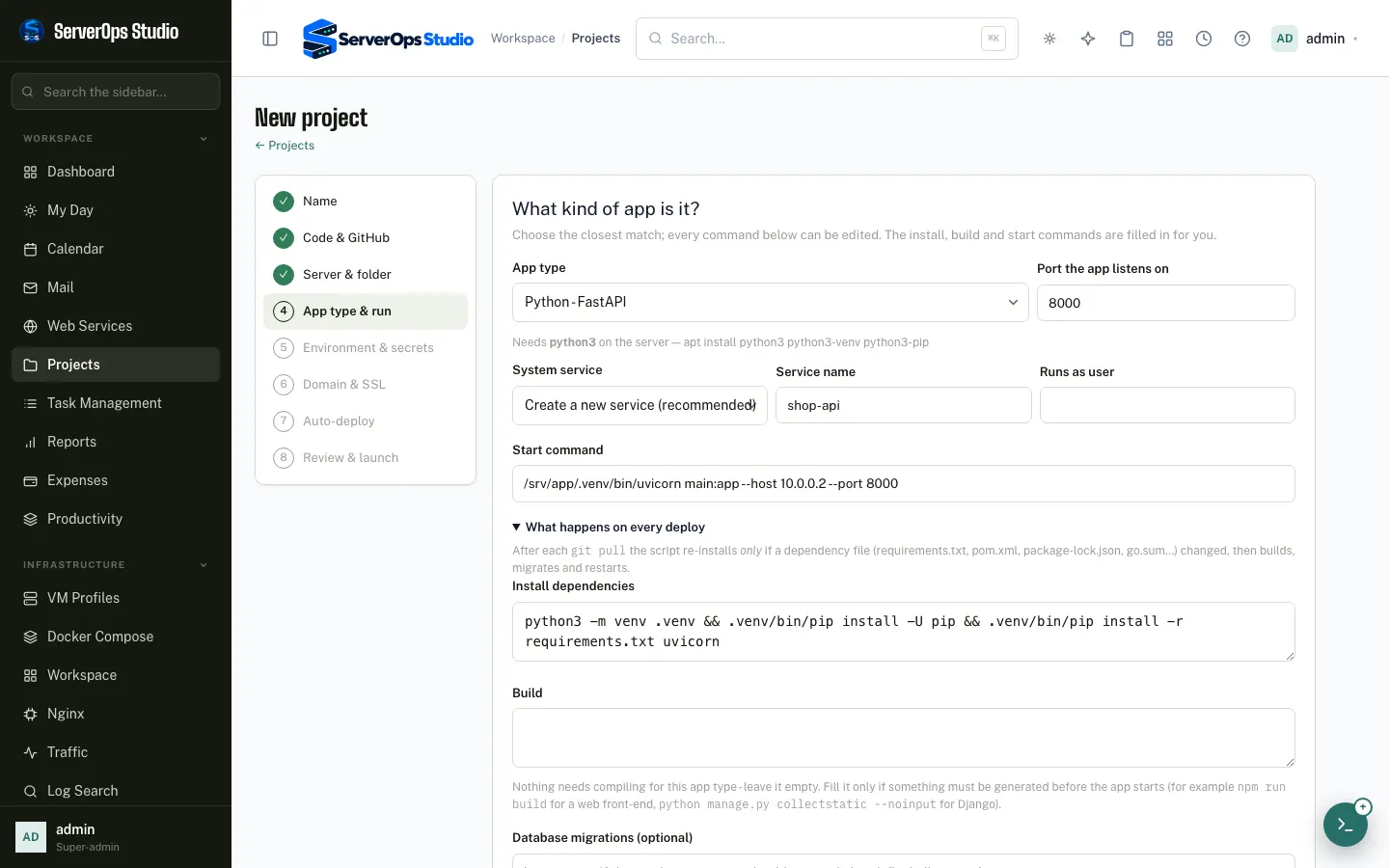
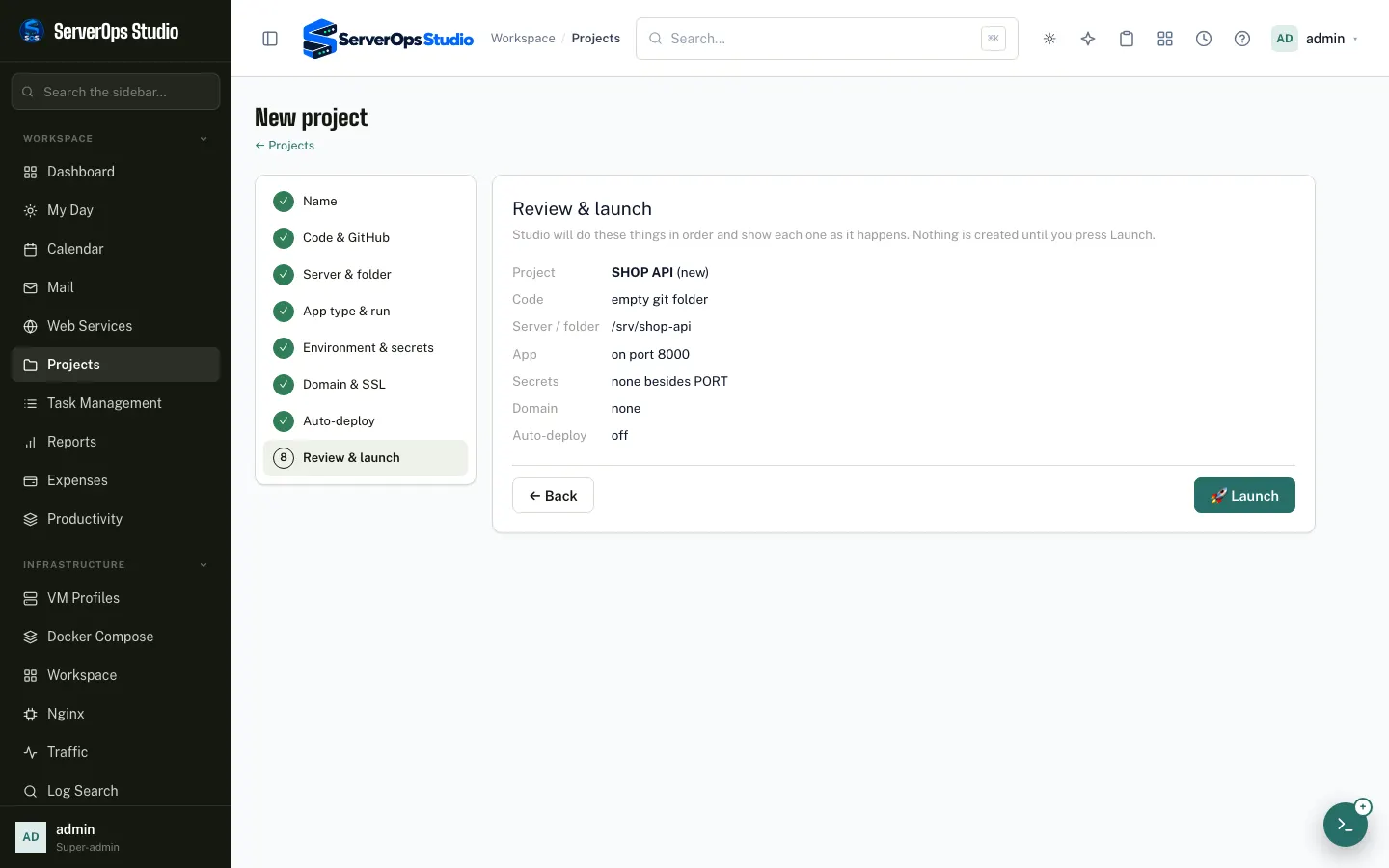
Start a new project, import one from GitHub, or add a folder that already runs on a server. The wizard asks only what it needs and shows every step as it happens.
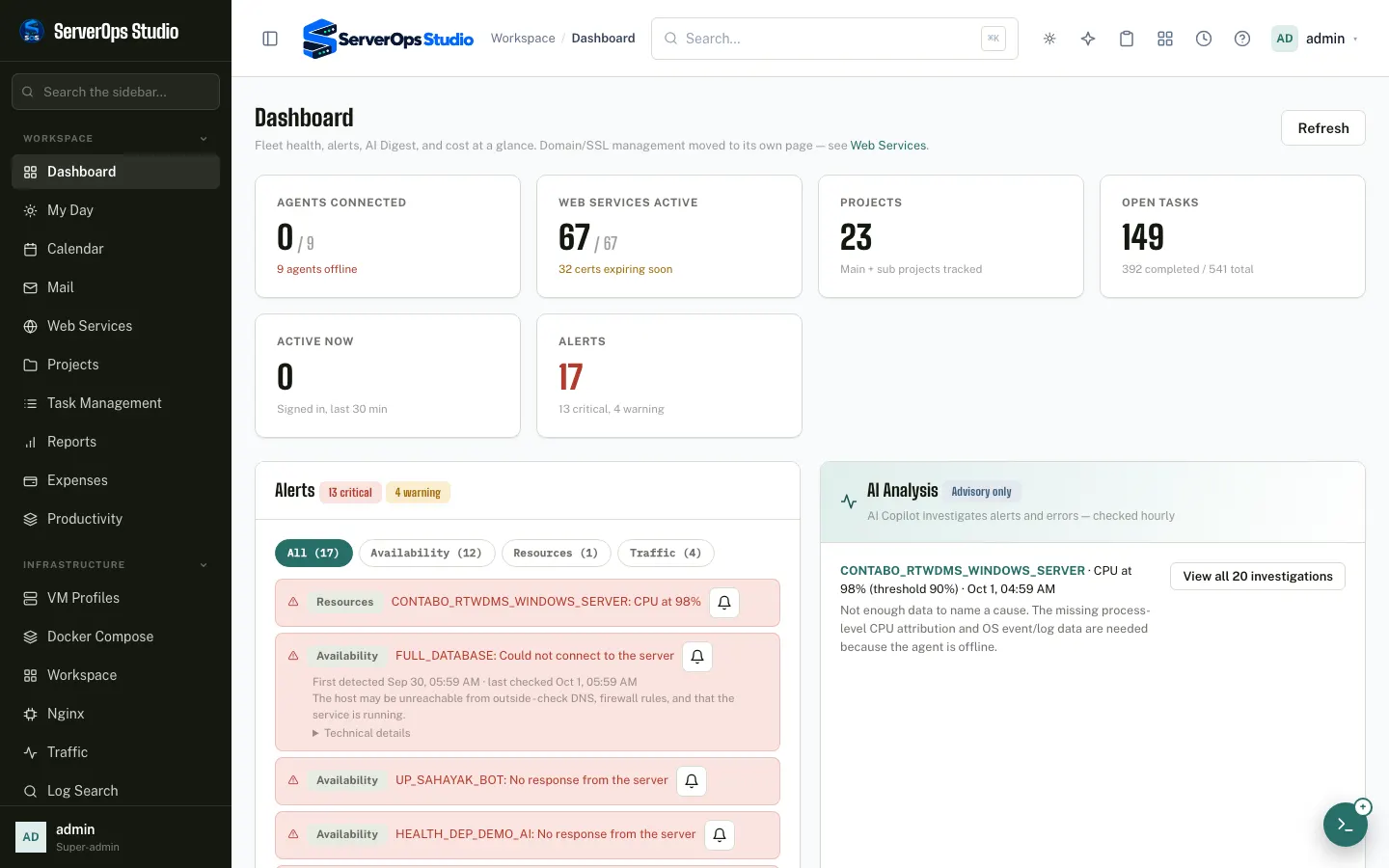
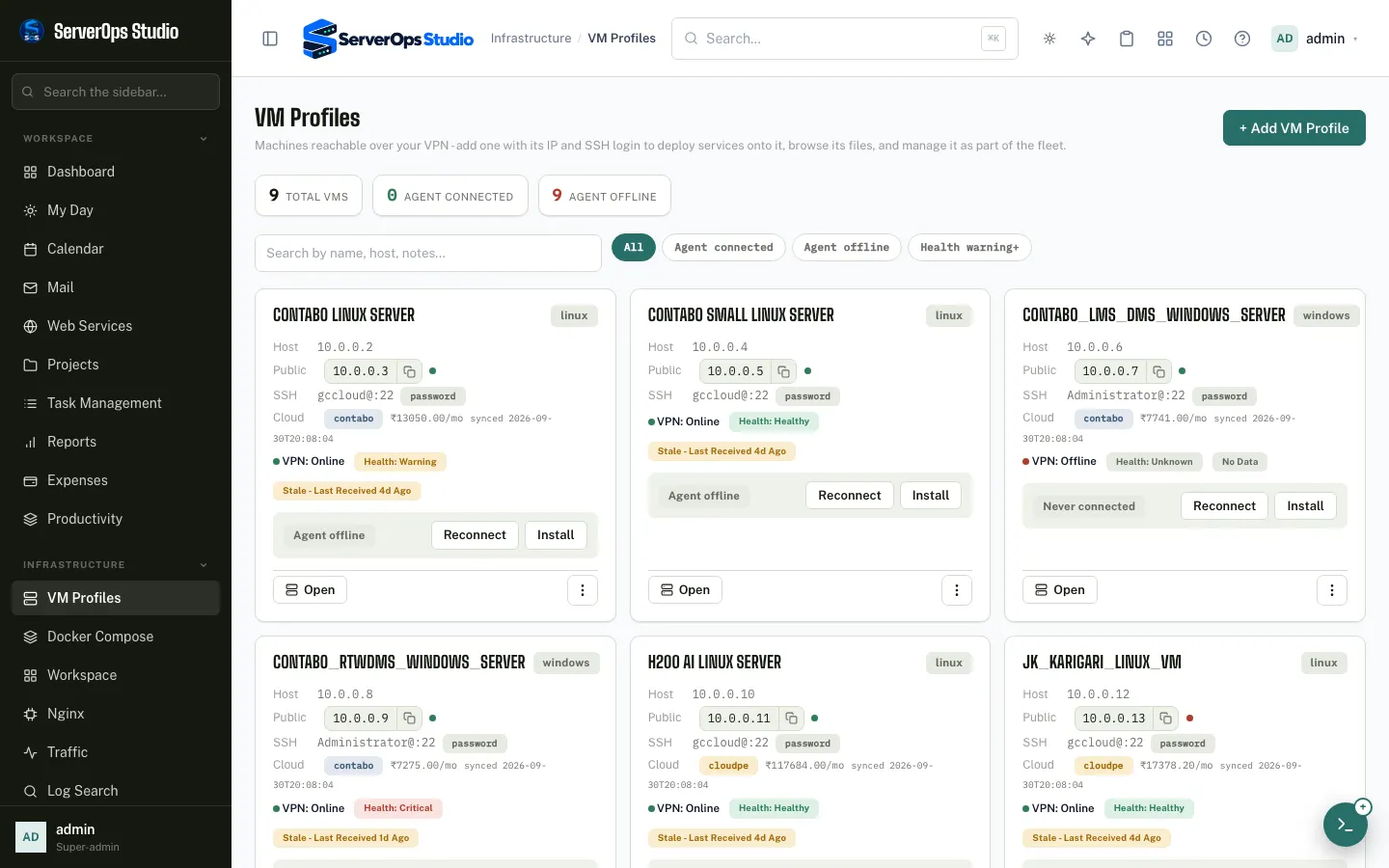
Health, CPU, memory, disk, GPU, Docker, firewall and network per server, with alerts that explain themselves.
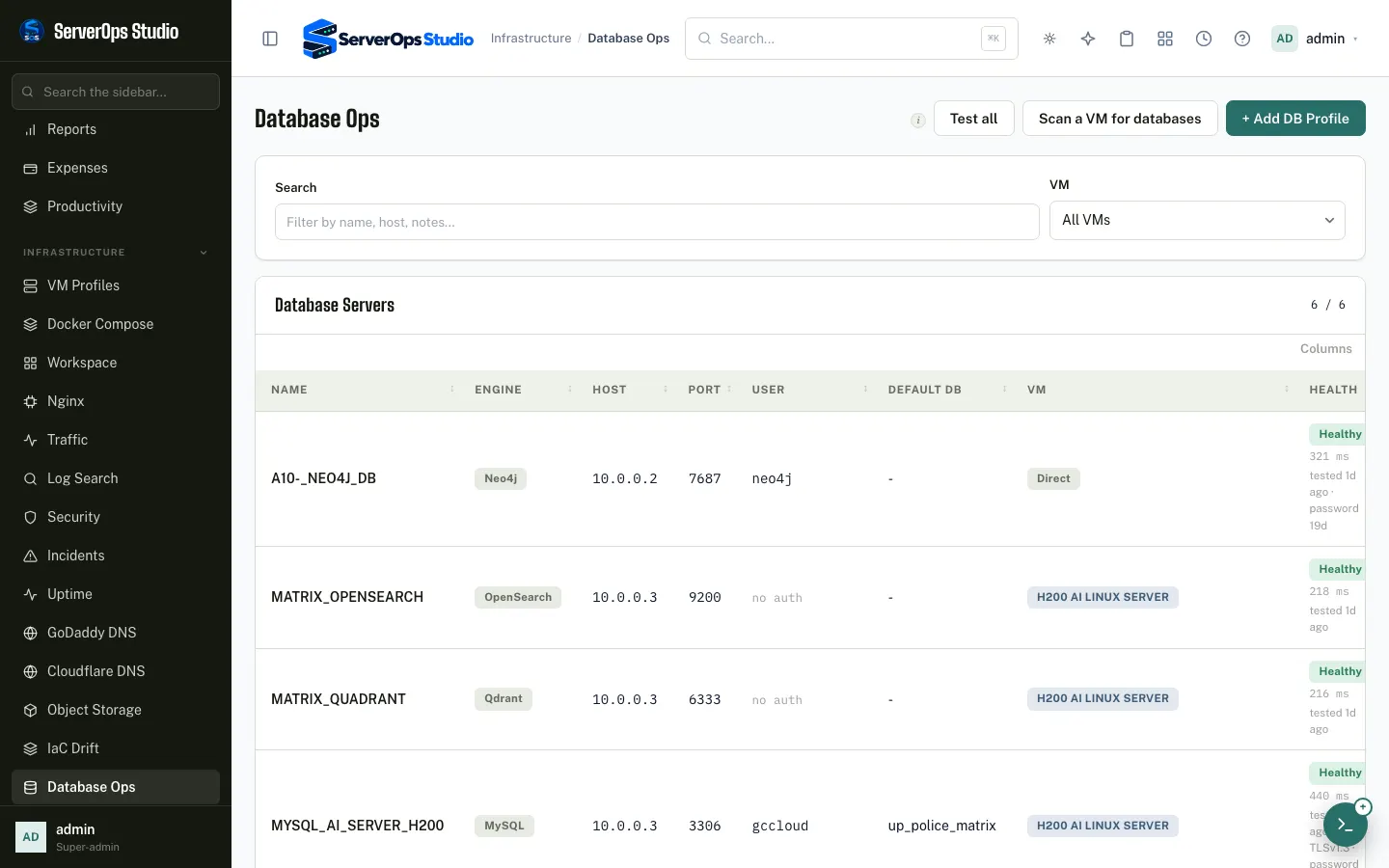
MySQL, PostgreSQL, MongoDB, Redis, OpenSearch, Neo4j, Qdrant and SQLite — queries, index usage, users and config with automatic rollback.
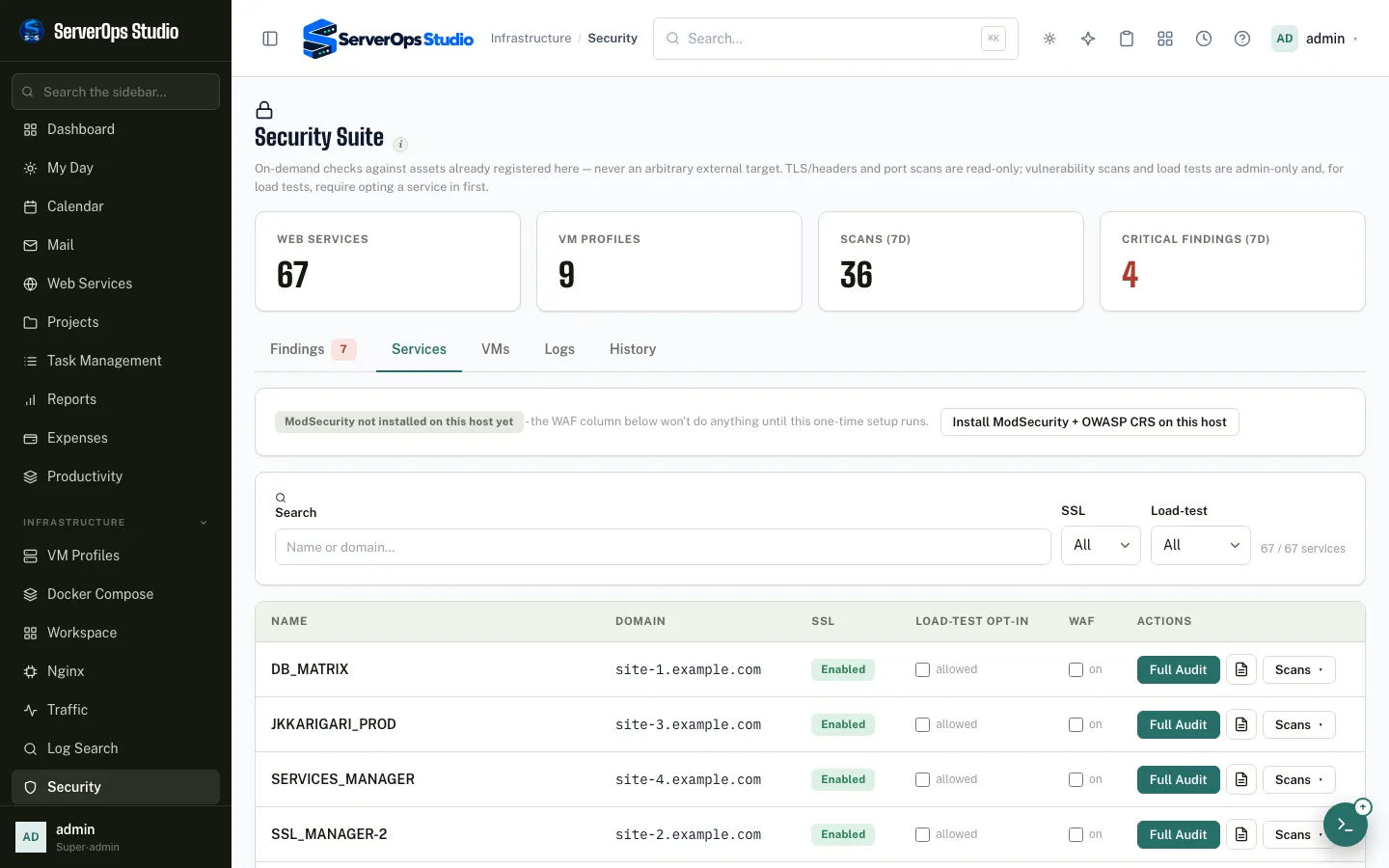
A hardening score with one-click fixes, exposure and TLS scans, and traffic capture of a service through an intercepting proxy.
Why a server is slow, where the disk went, which exception your users hit, and what the cloud accounts are running — explained from real numbers.
Tasks, roadmap, docs, deploy history and per-project access — with every IT expense, recurring bill and budget tracked in the same place.
Notes, reminders, time tracking, runbooks and a personal vault — plus an advisory AI assistant and plain-words search across everything in Studio.
Deploy
Start a new project, import one from GitHub, or add a folder that already runs on a server. The wizard asks only what it needs and shows every step as it happens.
Deploy any type of software
Always stored in capitals so it reads the same everywhere.
Pick a repo from GitHub, or paste any git URL.
Browse the server, create folders open to every user.
Flask, FastAPI, Django, Node, Next.js, Spring Boot, Go, Rust, .NET, Compose…
Kept encrypted in Studio and delivered to the service, never in the repo.
Create the sub-domain at GoDaddy, the Nginx site and the certificate.
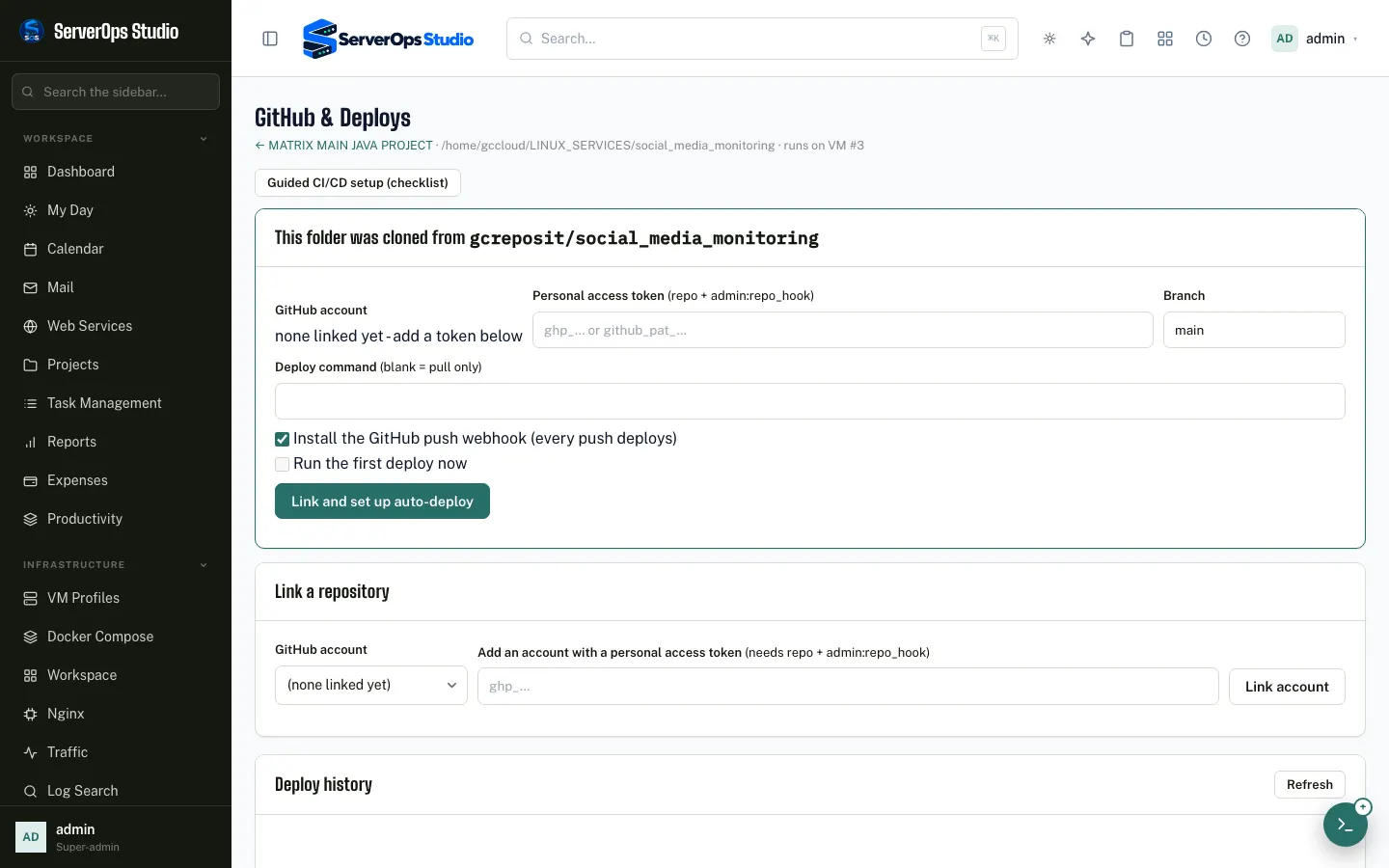
A push installs changed libraries, builds, migrates and restarts.
Review the plan, press once, watch it run — resume if a step needs a fix.
Lead with a domain
A project, its service, its domain, its certificate and its push trigger — set up together, so the first thing you share is a working address.
git pull — it reinstalls only when requirements.txt, pom.xml, package-lock.json or go.sum changed.Operate from anywhere
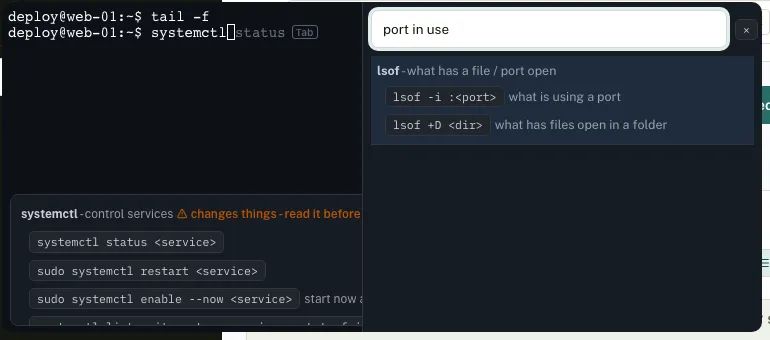
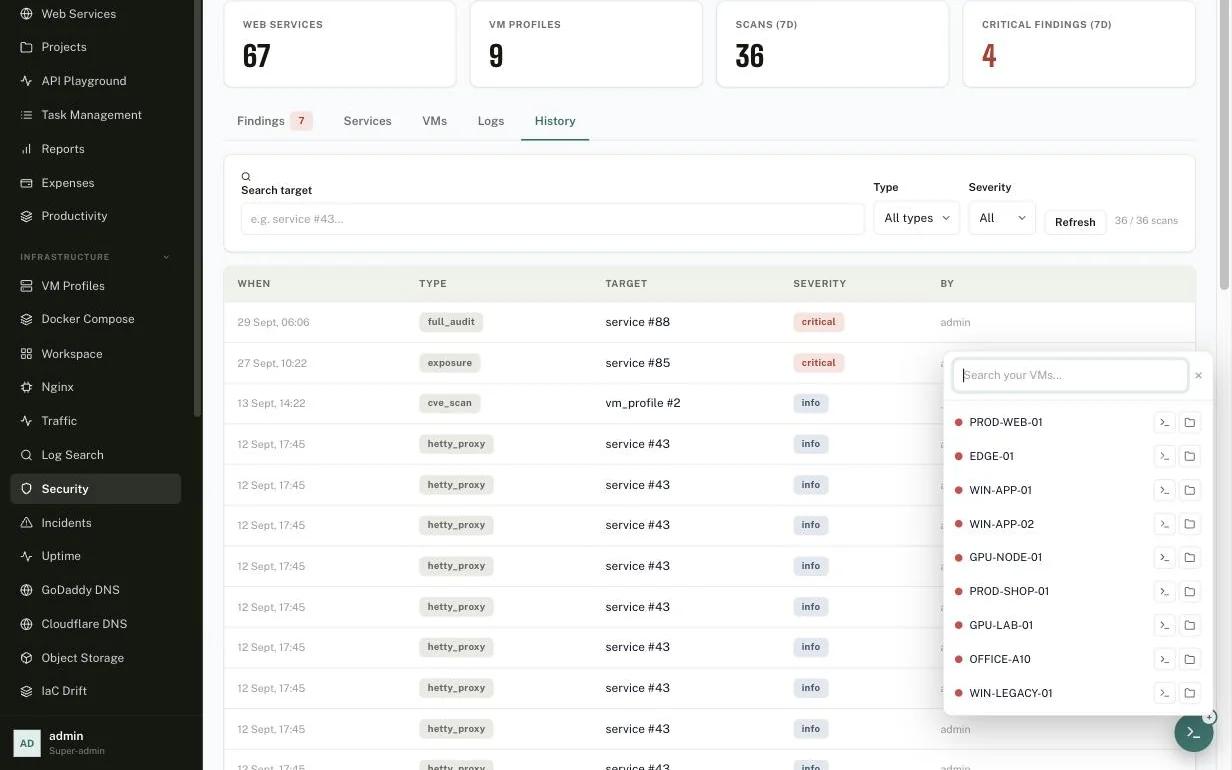
A floating launcher sits in the corner of every Studio screen. Search your servers, open a real terminal or the file manager, and keep working where you were — tile windows, broadcast one command to many servers, forward ports.
Search every captured line across the whole fleet at once — by text, server, service and severity — or switch on live tail. Saved searches and shareable links put the answer one click away for the whole team.
The AI Copilot reads the same log index, alerts and metrics, and investigates on its own every hour. It names a likely cause, shows the lines it used as evidence and suggests a fix — advisory only, never invented numbers.
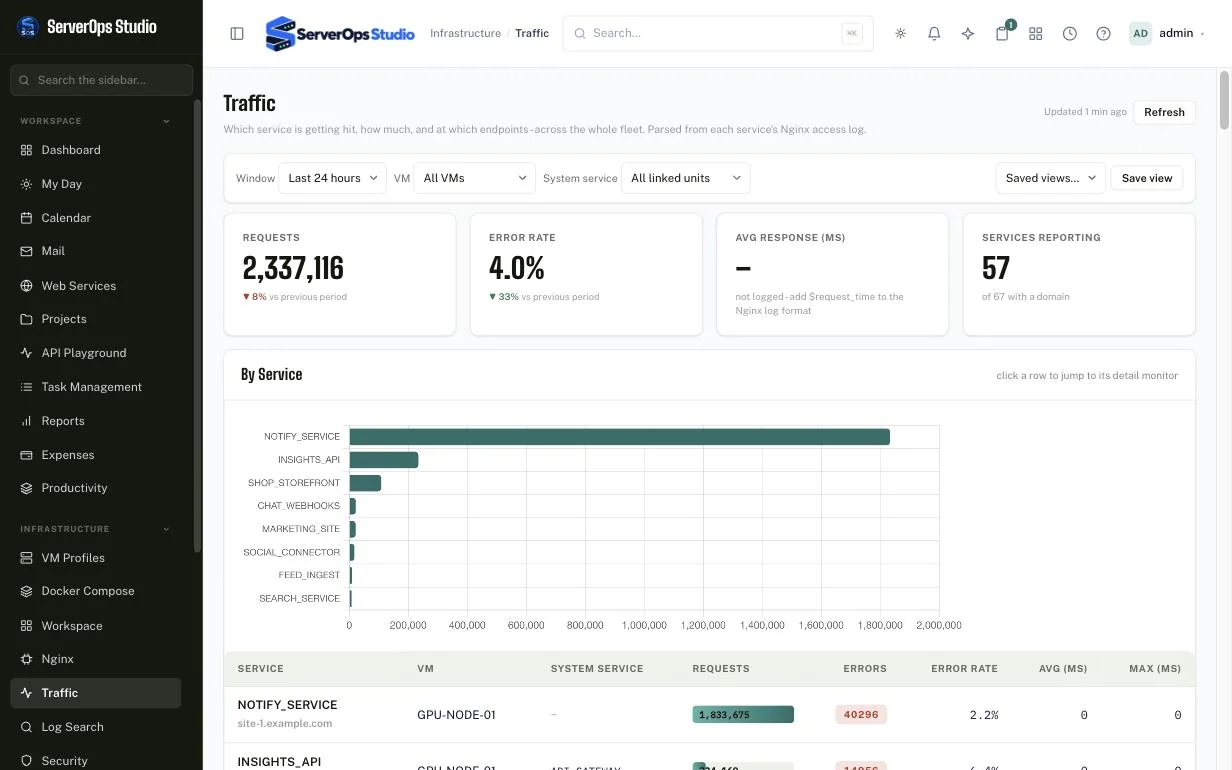
Studio turns every service's Nginx access log into requests, error rates and response times — per service, per endpoint and per status code, across the fleet — with saved views and a drill-down for each service.
TLS and header audits, port, exposure and CVE scans against the services and VMs you already registered, traffic capture through an intercepting proxy and opt-in load tests — every finding in one list, every scan in the history.
Jugnu · talk to your servers
Press Alt + J and speak — English, Hindi or Hinglish. Jugnu opens the page, finds the folder on the server, fills in the project wizard, and asks before he changes anything. Pick a sentence and watch.
Alt Jfrom any page · a deploy, restart or reload always waits for your “haan”
Your screen, your layout
The Copilot, the terminal, logs and files each have a pin button. Pin a second window to the bottom and the first becomes the top half; pin too many and every column narrows evenly. The dock keeps its own band, so it never covers what you read.
Intelligence
Studio does not stop at charts. It reads the numbers it already collects and tells you what is going on, in plain words — advisory only, never invented figures.
CPU, memory, disk and network in one view, with the busiest processes ranked and explained — so a spike has a name next to it.
Disk Intelligence scans the largest folders and files, buckets them into real categories with real gigabytes, and an AI summary says what to clean first.
Servers, domains, licences and cloud bills in one ledger: recurring templates, card, UPI or net-banking details, up to three attachments, monthly budgets and an overview.
Application exceptions and traces from your own apps through Traceway, installed in one click, with the failing step shown next to the request that caused it.
Every Google Cloud and Firebase project a service account can see, next to your cloud instances, object storage and infrastructure-drift checks.
Heartbeats for sites and servers, alerts and on-call, maintenance windows, and public status pages that show only what you choose.
Projects
Every project is more than a repository: its work, its money, its servers and its history live together, with the right people able to see the right layers.
Docker & security
See every container on every server, run and update Compose stacks, and test what they expose — from the same place that deploys them.
AI Hub · your models, your keys
Serve a model from your own GPU, add your Claude subscription and a fallback, and hand each of your projects a key with its own models, rate and daily budget. Flip the switch to see what the local gateway changes: the request stops travelling to Studio and back.
Fresh from the workshop
The big features are above. These are the details people notice after a week.
A refused button becomes a request to an administrator — with your reason — and approval grants exactly what was refused.
Link a row to a project and its server, domain and certificate dates appear — grey until you type over them.
File on the left, live output on the right — on the hub, on a server and inside a project.
The wizard asks public resolvers and the domain’s own name servers, then the certificate authority, and tells you where a record must live if it is missing.
English, Hindi or Hinglish — Studio starts with the language that worked last time and switches by itself when what it hears fits badly. No language menu.
“Projects kholo”
“प्रोजेक्ट खोलो”
“Open the terminal”
Removing a service asks for its exact name, and only admins can.
Windows services listed in a second, Nginx files read through the agent, wildcard certificates by DNS, tunnels with a stable name, a schema diagram from real foreign keys, installable as an app, filters you can tick several of. The handbook walks through every one.
After the first deploy
Everything below works from the browser, with roles and an audit trail behind it.
Press Alt+J and say "projects kholo" or "naya project banana hai". Jugnu opens the page, finds the folder on the server, fills the wizard and asks before he changes anything. He also explains any error from the exact request that failed.
The sheet every office keeps — people, server, domain, SSL, AMC and documents — filled in by Studio for every project it knows, with pick-lists, date pickers and CSV in and out.
A refused button opens a request to an administrator; approval grants exactly what was refused. Every server gets a shared group so deploys by different people never collide.
Health, CPU, memory, disk, GPU, Docker, firewall and network per server, with alerts that explain themselves. Linux and Windows through one agent.
A real terminal with a command helper, broadcast to many servers at once, split windows, port forwards, an SFTP file manager and live read-only sharing.
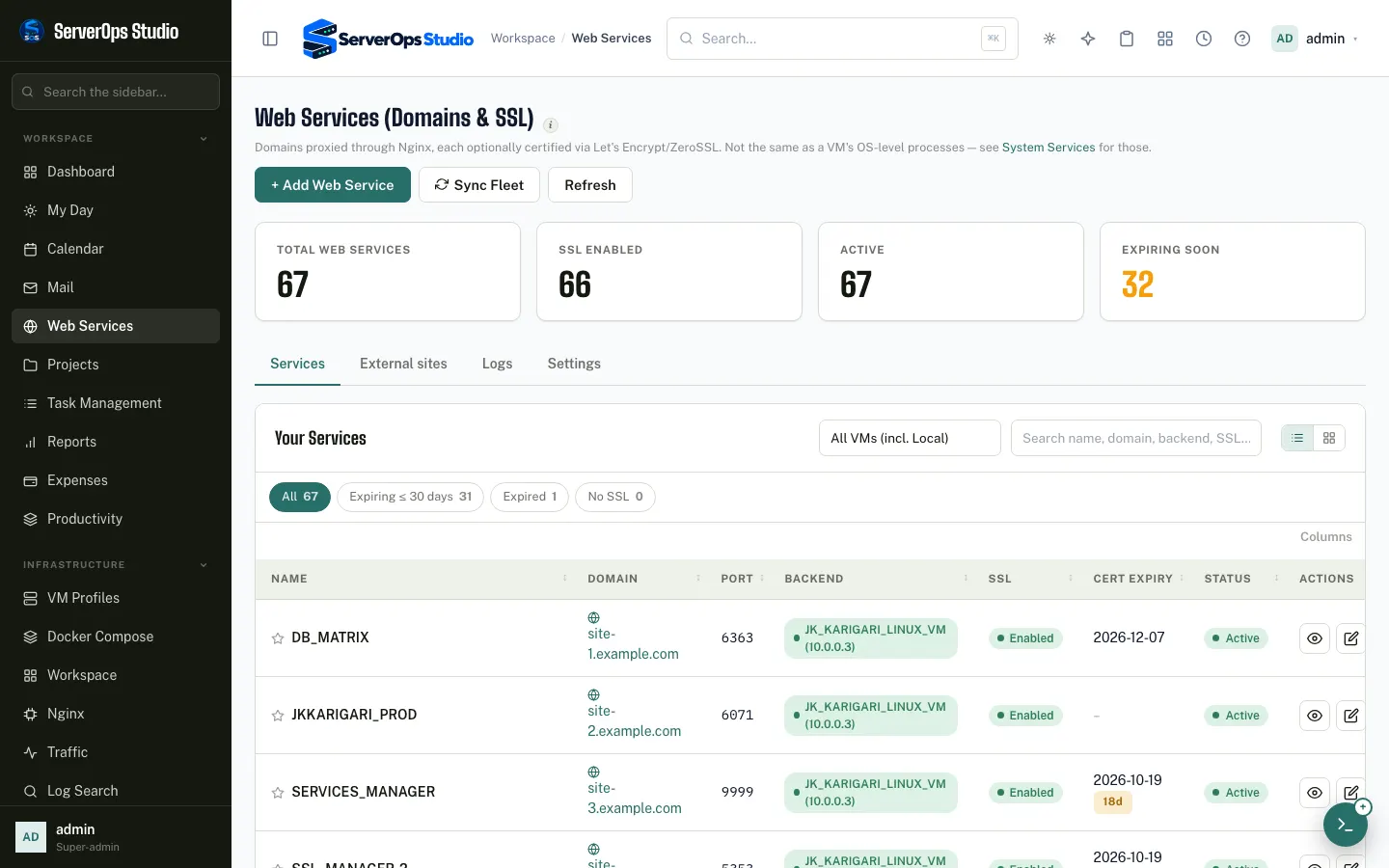
Every site with its certificate and expiry, an Nginx editor with validation, GoDaddy and Cloudflare DNS, tunnels, and renewal hooks that reload your services.
MySQL, PostgreSQL, MongoDB, Redis, OpenSearch, Neo4j, Qdrant and SQLite — queries, index usage, users with read/write limits, and config files with automatic rollback.
Per-server restic backups with retention, portable encrypted archives, cloud snapshots, and a rebuild wizard for another server.
Hardening score with one-click fixes, exposure, TLS and vulnerability scans, firewall rules, and traffic capture through an intercepting proxy.
Search logs across the fleet, watch uptime, follow Windows service logs live, and see application exceptions and traces with a one-click Traceway install.
Choose a project, and Studio scans its routes and fills in the parameters — marked mandatory or optional — then sends real requests, imports Postman or OpenAPI, and smoke-tests after every deploy.
A full project management system: tasks, roadmap, documents, per-project access, a timeline of changes, and reports on how the team is doing.
Recurring bills, card, UPI and net-banking payments, invoices and receipts attached, monthly budgets and an overview of where the money goes.
Notes, reminders, time tracking, standup, runbooks, a watchlist, a personal vault, a calendar and a My Day page that gathers what is yours.
An advisory Copilot that sees the page you are on (never passwords), Ask Studio search in plain words, and a playground for the AI models you connect.
Google Cloud and Firebase projects, cloud instances, object storage and CDN, and infrastructure-drift checks in the same sidebar as your own servers.
Viewer, operator and admin roles, per-server and per-project access, two-factor sign-in, shared credentials, and an audit log of who did what.
Incidents with on-call, alert rules and maintenance windows, and public status pages that show only the services you pick.
A Tools Hub for everyday utilities, import of hosts from ssh config, PuTTY and SecureCRT, and one-click apps like Grafana, n8n and Gitea.
Choose which server holds a web service's Nginx file and certificate: Studio's own, the server where the app runs (Linux or Windows), or a Bridge Proxy, where a public-address server forwards over the VPN to an app on a local server that has no public IP.
Run vLLM on any server with every setting explained, a model advisor that sizes the settings to your GPUs and shows the speed your hardware can really reach, a model store with resumable downloads, live monitoring and measured speed tests. The old stand-alone manager imports in one click.
Other projects call Studio with their own key and use Claude, your local models or any OpenAI-compatible provider through one address, in either the Anthropic or OpenAI format. Per-key models, effort, answer length, rate and token budgets; usage by project, model and day; no prompts stored.
A form with every setting and a plain explanation of each, file attachments, streaming, and the exact request as curl, Python, the Anthropic or OpenAI SDK, or Node. Plus ready API docs for the people building on it.
A log and a terminal side by side, each pinned to the right or minimized; SSL and Nginx changes that no longer fail on permissions; Docker deploys that show live progress; and Docker Hub search as you type.
Work order and timeline dates, AMC and security-audit validity with reminders that tighten as the date nears, an upgradation history, the standard project documents with a completeness check, and a letters timeline you can download as one indexed PDF.
Drag in photos, PDFs and code, choose the model and how hard it thinks, see your plan usage, and keep your own saved chats. It reads the page and the file you have open, and can answer through the AI subscription you already have.
Emergency tools to calm, freeze or kill the process that is eating a server — on Linux and Windows — plus an agent that keeps answering under load, and a deploy that can be stopped instead of hanging.
Server overview, jobs, services and GPU pages receive live updates instead of polling, with a top-services view you can sort by CPU or memory and a per-core breakdown.
Install mail for your domain on one of your Linux servers: mailboxes, DNS records, certificate, a readiness check and a test message, all from the browser.
Add many tasks or logins at once from a grid, a paste from Excel, or an uploaded file with a ready template. Office logins tagged official are shared with the whole team, read-only.
Reminders with a date range, snooze that keeps your schedule, and task reminders that close themselves when the task is completed.
Follow a site's own links to find broken links, duplicate titles and descriptions, thin or slow pages, and pages nothing links to.
How it compares
Self-hosted PaaS tools deploy containers, desktop managers drive a VPS over SSH, Docker UIs manage containers, observability suites watch them and hosting panels run websites. Studio does those jobs — and keeps going into logs, traffic, security testing, AI insight, projects and spend.
| Capability | ServerOps Studioself-hosted control plane | Server Compassdesktop VPS manager | Openshipopen-source PaaS | OneUptimeobservability & incidents | Coolifyself-hosted PaaS | Dokployself-hosted PaaS | CapRoverself-hosted PaaS | Portainercontainer manager | Pleskhosting panel |
|---|
Based on each product's public documentation as of October 2026 and simplified to one mark per cell; features change quickly and paid tiers or extensions may add more. Product names belong to their owners — check their sites for the current picture. Server Compass is a desktop app that manages servers over SSH; Openship can also run as a hosted cloud; OneUptime monitors and responds to incidents but does not deploy or manage servers.
Screens
Real screens from the running application (addresses and host names masked).

Built to be trusted
Studio runs on your own infrastructure. It is designed so that powerful actions are deliberate and traceable.
Early Access Program
ServerOps Studio is still being shaped. Tell us who you are and what you want to build with it — accepted applicants are given access to the repository to explore the code and run Studio on their own servers.
This page is an introduction only. The Studio we run for our own operations is a separate, private deployment and is not reachable from here.
Wherever your servers run
Apply for early access to get the repository, explore it and host it on your own servers.